One Click to Cool a Hot Shard: Rebalancing Valkey Clusters with BetterDB
BetterDB now finds the hot shard in a Valkey cluster, names the keys behind it, plans the smallest slot move that fixes it, and runs it with Valkey 9's atomic slot migration. Here is how each step works.
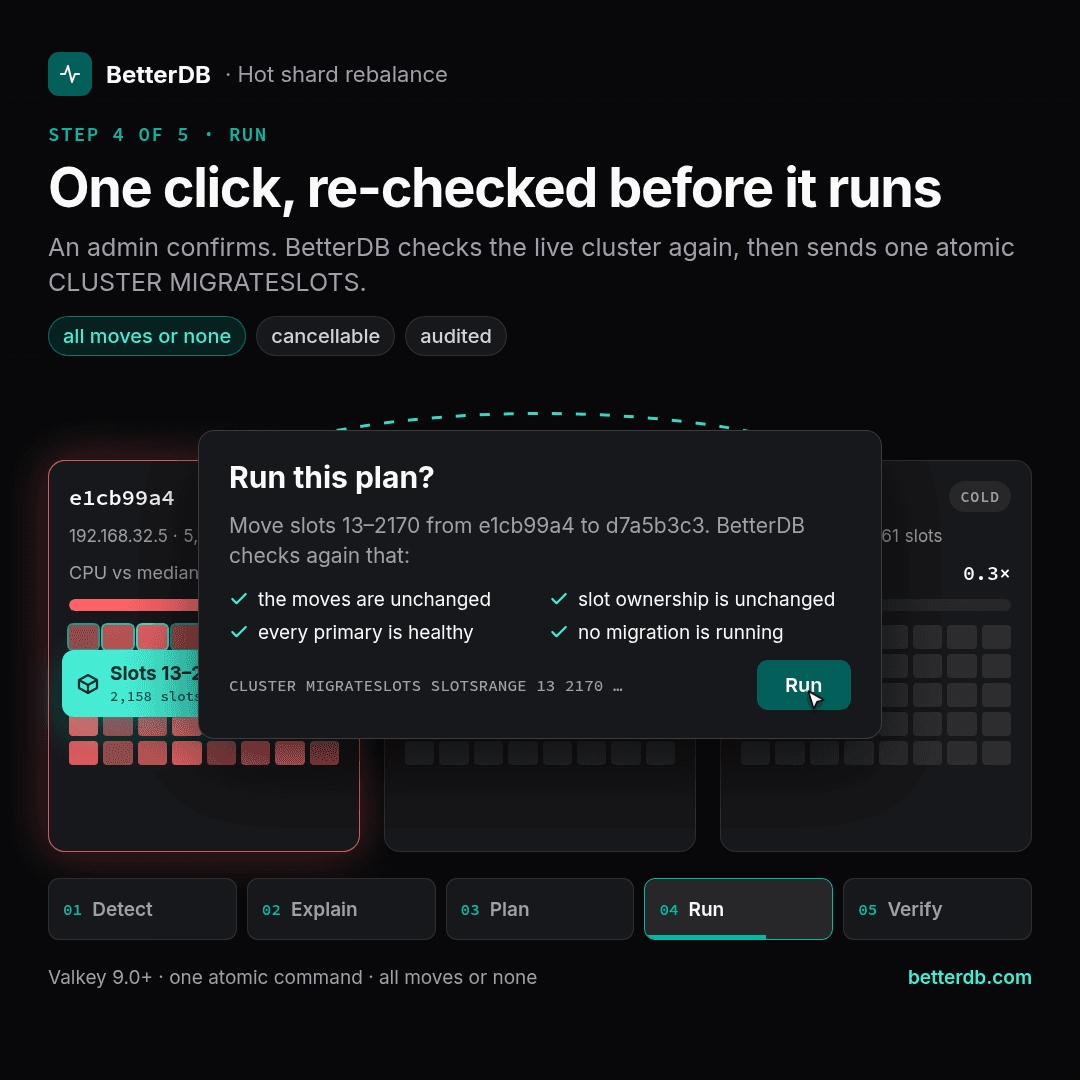
Every Valkey cluster eventually has one shard doing most of the work. A product launch, a viral key, a tenant that grew faster than the rest, and suddenly one primary is pinned while the others sit at 10% CPU. Latency climbs for every key on that node, not just the busy ones.
The fix is usually simple to describe: move some slots off the hot node onto the quiet ones. Doing it has never been simple. With BetterDB Monitor v0.56.0 it is one click, and the rest of this post explains what happens behind that click.
Why rebalancing has been painful
To rebalance a cluster by hand, you need answers to four questions, and Valkey gives you none of them directly:
- Which shard is hot?
INFOshows CPU per node, but not whether it is your traffic or a background job, and not which slots it comes from. - Why is it hot? If one key carries the load, moving slots just moves the problem to another node.
- Which slots should move, and where? Move too few and nothing changes. Move the wrong ones and you overload the target.
- How do you move them safely? The classic way is
CLUSTER SETSLOT ... IMPORTING,SETSLOT ... MIGRATING, thenCLUSTER GETKEYSINSLOTandMIGRATEin a loop, thenSETSLOT ... NODEon both sides. Per slot.
That last step is where it hurts. Moving 2,000 slots this way is around 13,000 commands. If your script dies halfway, you are left with slots stuck in MIGRATING and IMPORTING, clients getting ASK redirects, and a cleanup job of its own.
BetterDB now answers all four questions.
Step 1: Find the hot shard
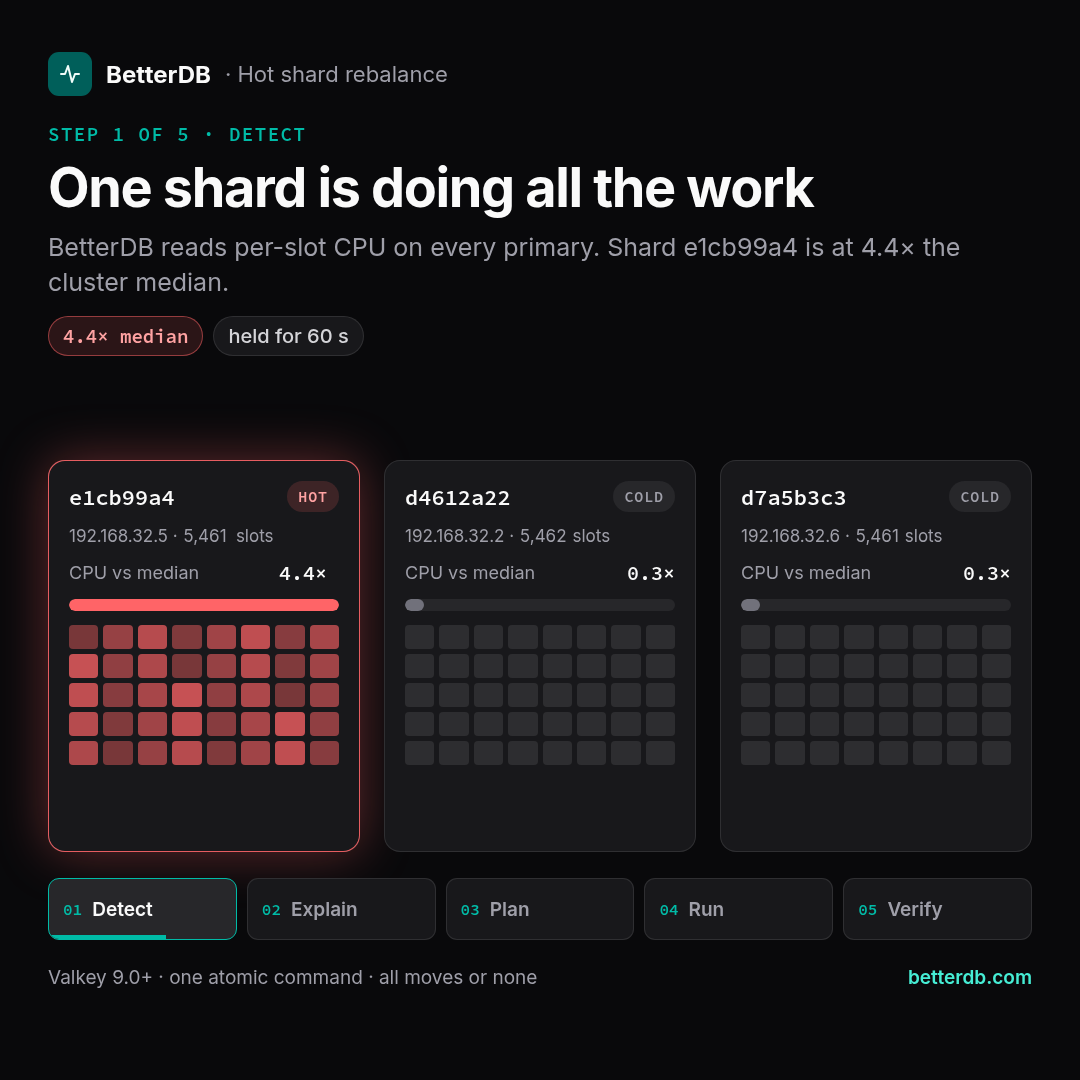
Since Valkey 8.0, CLUSTER SLOT-STATS reports CPU time and network bytes for every slot. BetterDB already read those counters on every poll for its slot metrics. Now it also turns them into rates:
- The rate of a slot is the change in its counters since the last poll, smoothed over about 30 seconds.
- The load of a shard is the sum over the slots its primary owns.
- A slot whose counter went backwards (a restart,
CONFIG RESETSTAT) or that just changed owner is left out for a poll, so a reset never looks like a spike.
A shard is hot when its CPU stays at 2× the cluster median for 60 seconds and is above 10% of a core. It cools down when it falls below 1.5×. The gap between the two thresholds stops the alert from flapping.
We deliberately ignore network for this decision. Bytes out include the replication stream, sent once per replica, so a busy shard with three replicas looks network-heavy without carrying any more client load. Network is shown as detail, never as the trigger.
All of this is also exported to Prometheus as betterdb_cluster_shard_cpu_usec_per_second and friends, so you can graph shard balance next to everything else.
Step 2: Find out why
A hot shard is a symptom. The cause is almost always a handful of keys, so BetterDB goes looking for them.
When the cluster uses an LFU eviction policy, Valkey keeps an access-frequency counter on every key. Right before raising the event, BetterDB takes the shard's three hottest slots, reads up to 500 key names from each with CLUSTER GETKEYSINSLOT, and asks OBJECT FREQ for each name. The ten most-accessed keys go into the event, and the top three into the alert message itself:
Hot shard a0000000 at 10.0.0.1:6379: CPU 9.0x the cluster median
(82% of the cluster's slot CPU) for 60s. Top slots by CPU: 0 (75% of the shard), 1 (25%).
Hot keys: "user:42" (freq 255), "cart:{9}" (freq 201), "user:1" (freq 40).
Without LFU there are no counters to read. In that case the Anomalies page offers a short MONITOR capture on the hot primary instead, and the capture session lists the keys with the most commands.
This step also answers the most important question: will moving slots help at all? If one slot carries 20% or more of the shard's CPU, it stays where it is, because moving it would just make another node hot. If those slots add up to most of a core, BetterDB says so plainly and suggests what will help instead:
Rebalancing will not help: slot 9189 alone is 81% of this shard's CPU.
Consider client-side caching, reads from replicas, or splitting key "session:global".
Step 3: Plan the smallest move that fixes it
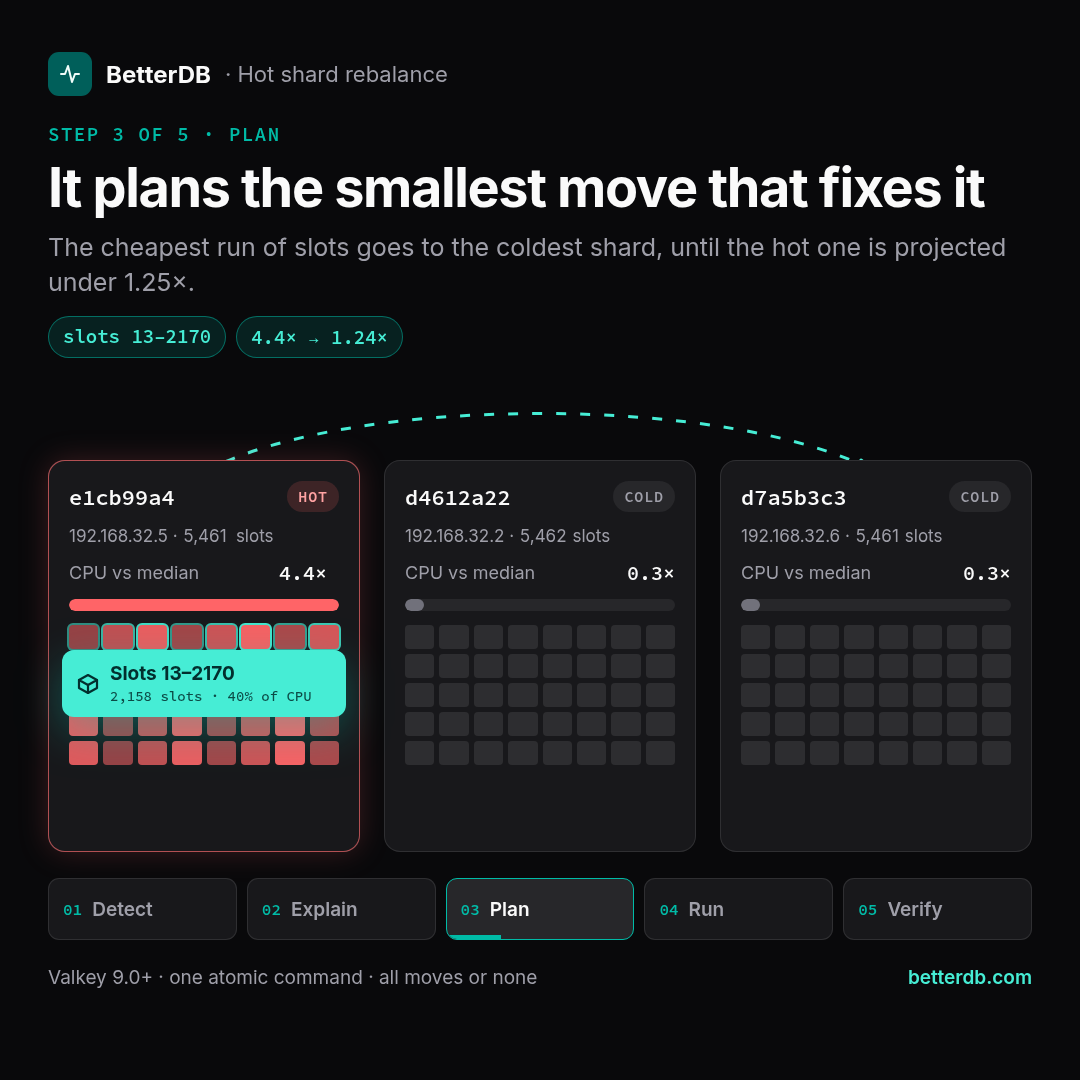
When moving slots can help, the planner works out exactly which ones and where they go:
- Targets are healthy primaries that are not hot, coldest first. An empty primary comes first, and on a tie, one in the same availability zone. It uses as few targets as it can, at most four.
- Slots are picked as contiguous ranges with the fewest keys for the CPU they carry, so the move copies as little data as possible for the load it frees.
- Limits: no target may end above 1.25× the projected median, and slots move whole, so the check is done on the real ranges, not on averages.
The result is a plan you can read at a glance: which ranges go to which shard, and the projected CPU of every shard before and after. A plan either resolves the hot shard (it ends at or under 1.25× the median) or gives it headroom (it frees at least a quarter of its CPU).
Plans also carry warnings. For example, the hot shard forks to send the slots while it is already the busiest node, or a target has fewer replicas or less free memory than the source. When several shards are hot at once, their plans are made one after another, and each starts from the load the earlier ones leave, so two plans never pile onto the same target.
Step 4: Move the slots with Valkey 9's atomic slot migration
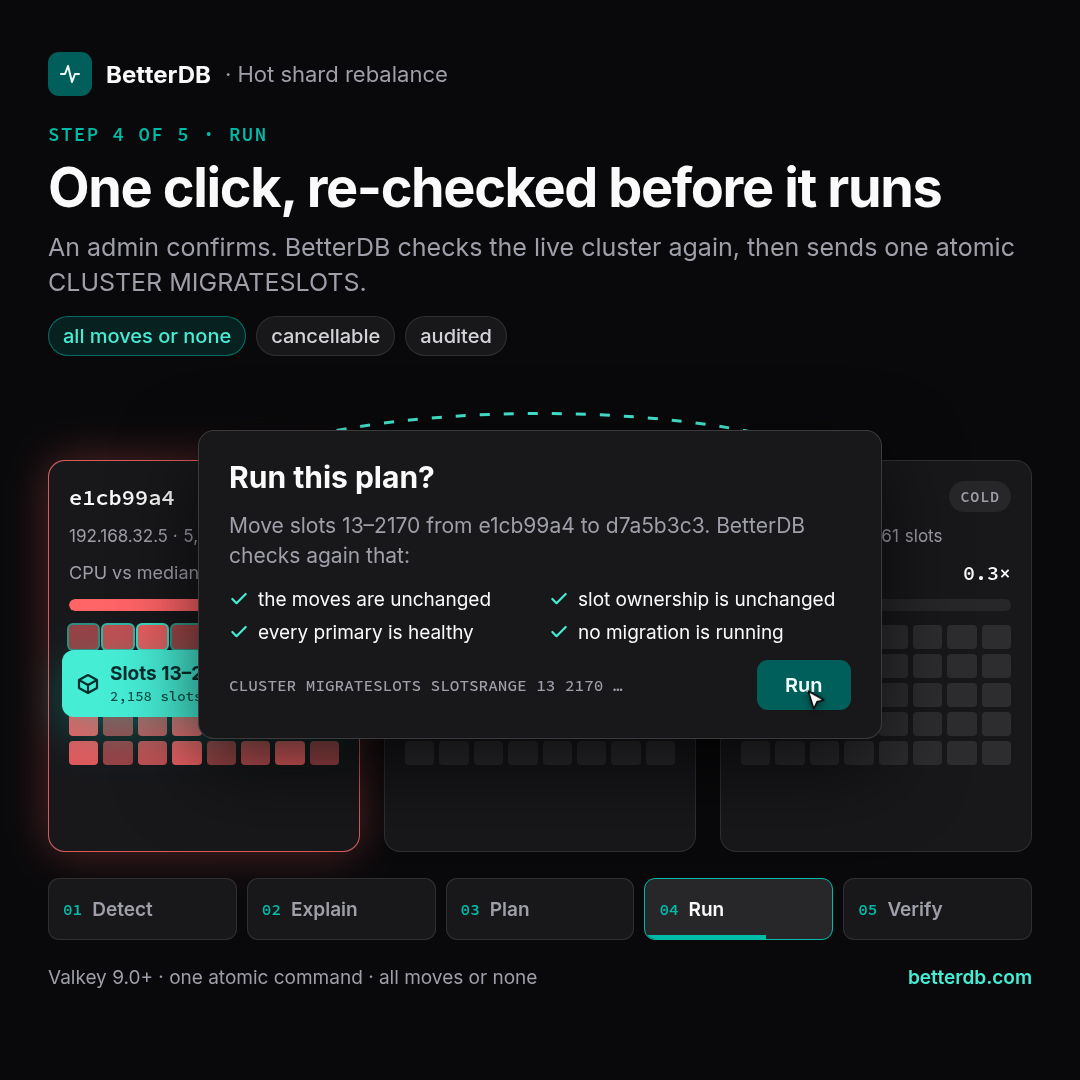
This is the part that used to be 13,000 commands. Valkey 9.0 added atomic slot migration, and it changes the whole picture.
With CLUSTER MIGRATESLOTS, you send one command to the source node naming the slot ranges and the target. Valkey does the rest on the server:
- The source takes a snapshot of the data in those slots and streams it to the target.
- Writes that arrive in the meantime are streamed after it, so the target keeps up.
- When the backlog is small, the source pauses writes on those slots for a moment, the target catches up, and ownership switches over in one step.
Either every range in the command moves, or none do. There are no half-moved slots, no ASK redirects to clean up after a failure, and CLUSTER CANCELSLOTMIGRATIONS stops a move that is still running.
So when you click Run this plan, BetterDB builds one CLUSTER MIGRATESLOTS covering the whole plan and sends it to the hot shard. The card then follows the move live: starting, running with its current phase, moved, failed with the server's message, or cancelled. Once the load has settled, it shows the projected ratio next to the one it actually measured.
The guardrails
Moving slots is the most consequential thing BetterDB can do to a cluster, so the button is built to be hard to misuse:
- Off by default. Nothing runs unless the monitor starts with
BETTERDB_SLOT_MIGRATION=true, and BetterDB never starts a move on its own. - Admins only, and every run and cancel goes to the activity log with the hot shard as the target.
- The plan you saw is the plan that runs. The request carries the moves the dialog showed. If the plan changed in the meantime, BetterDB refuses and shows you the new one.
- Checked again before sending. A fresh
CLUSTER NODESmust show the hot shard still owning every range, every node must be a healthy primary, and no migration may be running anywhere in the cluster. - Sent once. No retries. If the server refuses, for example because the monitoring user lacks permission, you see the server's own message.
- Double clicks start one run.
Watching every migration, whoever starts it
A move started from BetterDB is the easy case. Teams also run valkey-cli --cluster reshard, operators rebalance on their own, and scripts get interrupted. So slot migrations are now anomaly events in their own right:
slot_migration(info) tracks every move in progress.slot_migration_stuck(warning) fires when an atomic migration makes no progress for 10 minutes, when legacyMIGRATING/IMPORTINGmarkers stay on the same slots for 30 minutes, or when a migration ends as failed. A failure carries the server's message and stays open until someone looks at it.
BetterDB reads CLUSTER GETSLOTMIGRATIONS on every primary every 30 seconds, and every 5 seconds while something is moving. A cancel started from BetterDB is recognised as one and raises nothing.
What it looks like in practice
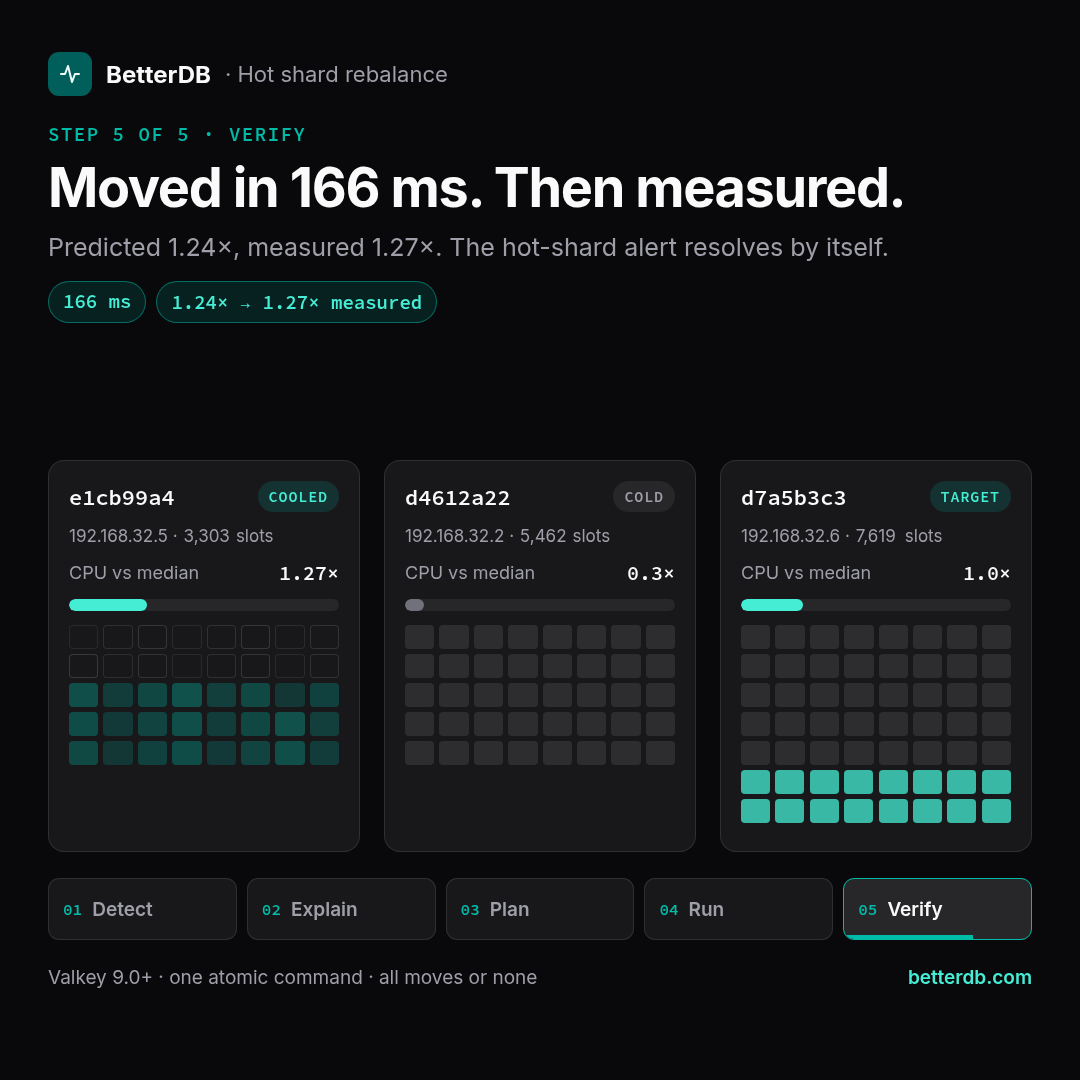
We tested it on a three-primary Valkey 9.1 cluster with a load generator that pushed one shard hard while the other two ran light traffic:
| Before | After | |
|---|---|---|
| Hot shard CPU vs median | 4.4× | 1.27× |
| Hot shard slots | 5,461 | 3,303 |
| Target shard slots | 5,461 | 7,619 |
- BetterDB raised
hot_shardabout a minute after the load started. - The plan moved slots 13–2170 (2,158 slots, about 40% of the hot shard's CPU) to the coldest shard, with a projected result of 1.24× the median.
- One click later, Valkey finished the move in 166 ms.
- BetterDB measured 1.27× afterwards, within a few percent of its prediction, and the hot-shard alert resolved by itself.
Try it
Hot-shard detection and rebalance planning ship in BetterDB Monitor v0.56.0:
docker pull betterdb/monitor:0.56.0
- Detection needs Valkey 8.0+ with
cluster-slot-stats-enabled yes, and at least three slot-owning primaries. - Hot key names need an LFU eviction policy (
allkeys-lfuorvolatile-lfu) and+cluster|getkeysinslot +object|freqfor the monitoring user. - One-click moves need Valkey 9.0+,
BETTERDB_SLOT_MIGRATION=true, and+cluster|migrateslots +cluster|cancelslotmigrations.
The plan and the copyable command show up on the Anomalies page as soon as a shard runs hot. The full reference is in the anomaly detection docs. For a quick overview to share with your team, see the hot shard rebalancing page.
Want a hand setting it up, or have a cluster that keeps running hot? We'd love to help, so just email us at support@betterdb.com.